Effects
Author(s): benevolusgoatTags:
Crash course table of contents
The crash course is still a work in progress!
- Creating a mod.
- Creating a passive item.
- Creating an active item.
- Adding to item pools.
- Making costumes.
- Creating a character.
- Creating entities.
- Adding sounds.
- Adding music.
- Making pocket items.
- Creating challenges.
- Structuring your mod.
- Conclusion.
Effects are special miscellaneous entities that can be used for any purpose. The poof of an enemy spawning, the devil and angel statues, the splatter of a tear, and many more are all effect entities.
Video tutorial⚓︎
entities2.xml entry⚓︎
Following the Entity Basics tutorial, this is already the majority of the work needed to create an effect entity.
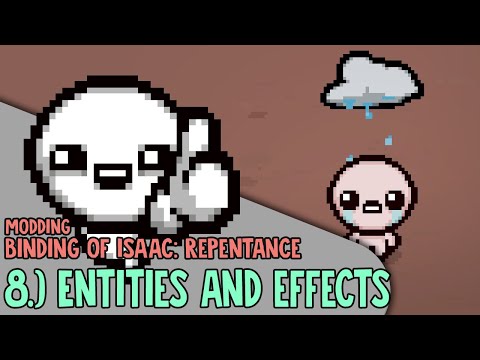
The code below is an entities2.xml entry for an effect named "Sad Rain Cloud". Entity effects must have id set to 1000. For variant, it must follow the rules mentioned previously under "What to set for id/variant/subtype". Here, it's been given an arbitrary id of 2096.
1 2 3 | |
Once in-game, you can spawn your effect using the debug console. Type spawn rain cloud and, so long as its the first option available, press ENTER to spawn it in the middle of the room. Alternatively, type 1000.2096 to spawn it using its ID and variant.


Lua code⚓︎
The entity now exists in the game, but it does nothing on its own. This is where the Lua half of the tutorial comes in, where we will have the rain cloud hover above and follow the player.
Start by setting up your main.lua with the essentials. Create a function and attach it to the MC_POST_EFFECT_INIT callback, which passes the EntityEffect object being initialized.
1 2 3 4 5 6 7 8 9 10 11 12 13 14 15 16 | |
The remaining code for our desired action is straightforward:
- To follow the position of any desired entity, you can use a simple function that's part of the
EntityEffectclass: EntityEffect:FollowParent. - The cloud will visually be on the same level as the player instead of above them, so it needs a SpriteOffset to be positioned above the player while still following their exact position.
1 2 3 4 5 6 7 8 9 10 11 12 13 14 15 16 17 18 | |
The cloud now follows the player. Effects have no collision, so it will not interact with the player. It is also a temporary entity, so it will disappear once you exit the room.